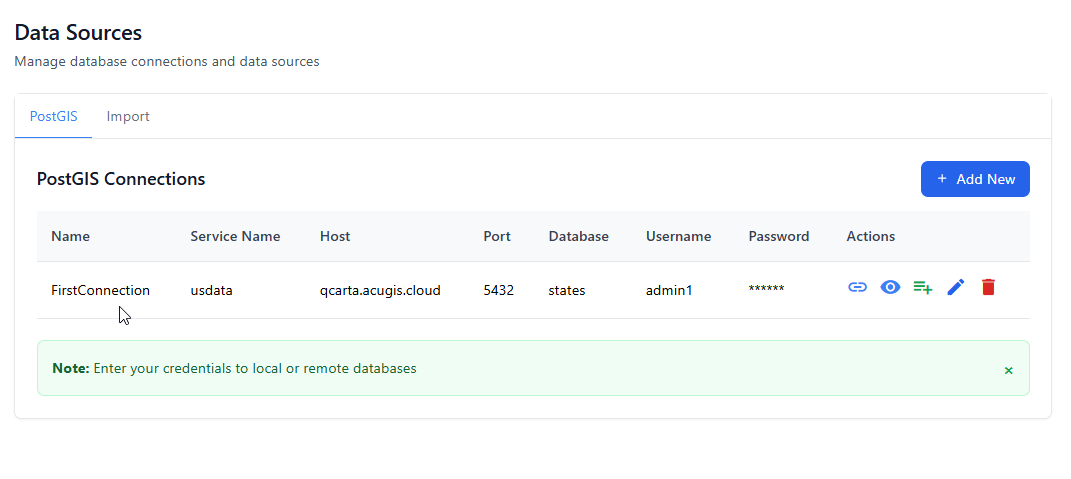
Connect to PostGIS
If your QGIS Project uses an existing PostGIS database, you need to enter the Service details.
You can connect to a PostGIS Data Source using below.
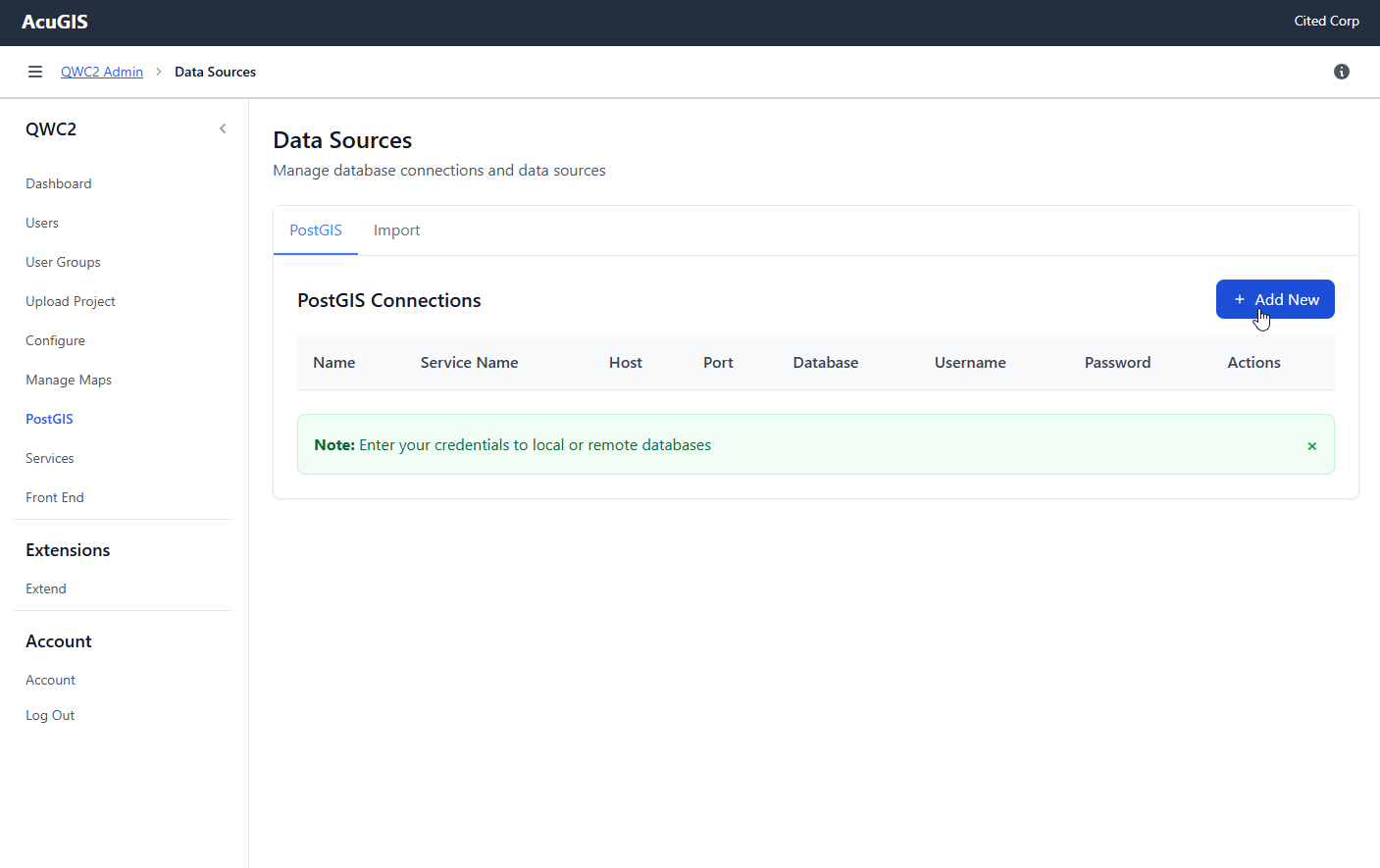
Click PostGIS on the left menu and then click Add New
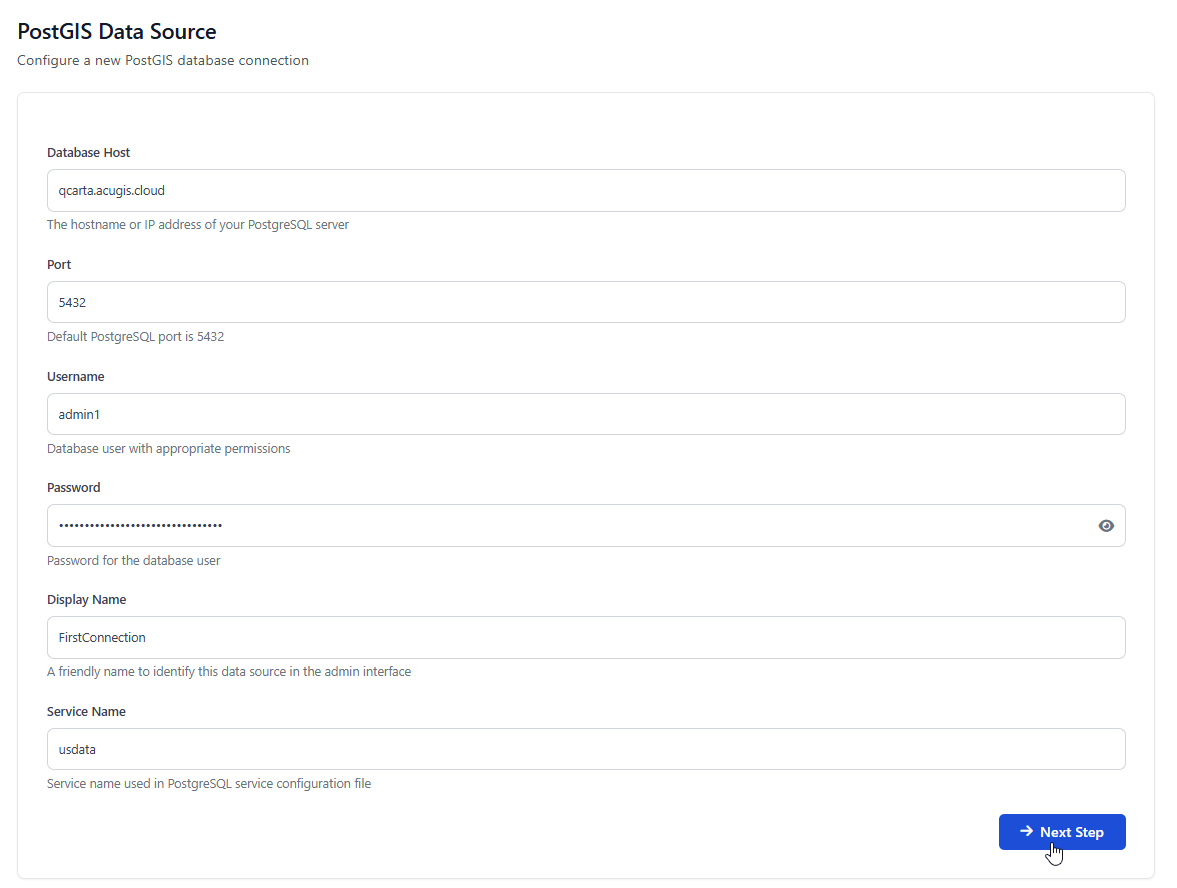
Enter the requied PostGIS information and then click Next
Warning
Be sure to enter the Service name. Your QGIS Project uses the Service name for connections.
Select the database you wish to connect to and click Next
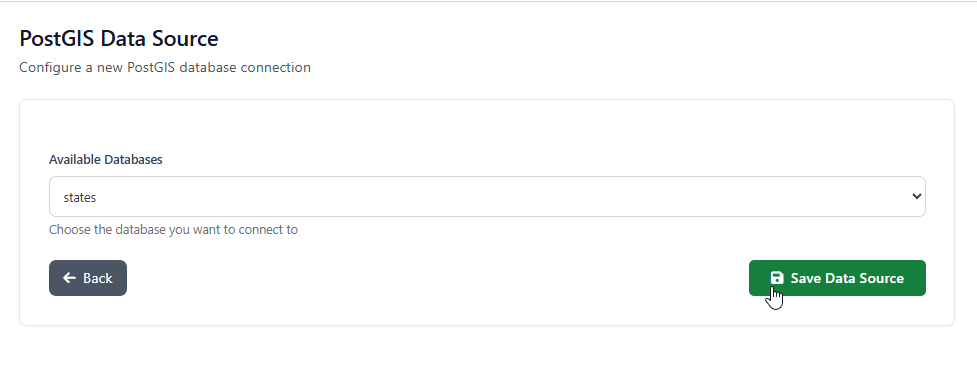
You should see the Success message below
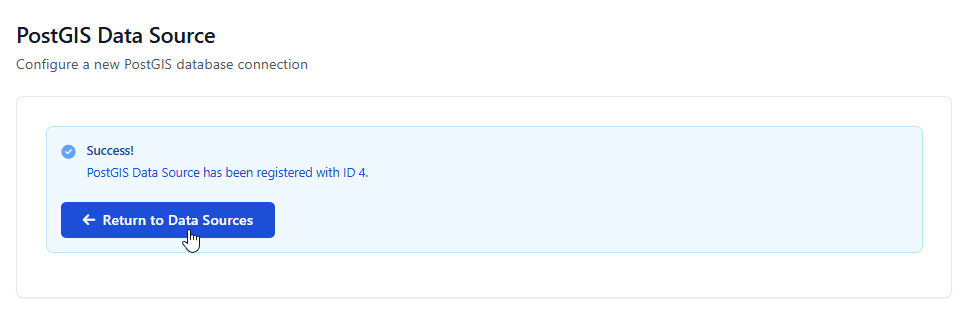
Your PostGIS data source has now been added